Descargar Frpfile Aio V2.5 _hot_ May 2026
Descargar Frpfile Aio V2.5: The Ultimate Guide to iCloud and Passcode Bypass
Locked out of your iPhone? Finding yourself stuck on the iCloud activation screen or a forgotten passcode can be incredibly frustrating. Frpfile Aio V2.5 (All-in-One) is a popular, compact tool designed for technicians and DIY users to bypass these security hurdles on various iOS devices. What is Frpfile Aio V2.5?
Frpfile Aio is a specialized Windows-based software that provides a suite of tools for iCloud Bypass and Passcode removal. Version 2.5 introduced significant stability improvements, making it a "life-saver" for users dealing with locked Apple devices. Key Features
Untethered Bypass: Unlike older methods, this allows you to restart your device without losing the bypass.
Core Services Support: Enables login for Siri, iCloud, iMessage, and FaceTime.
Passcode Fix: Offers a 100% fix for passcode-locked devices by creating file backups from other tools.
Hidden iCloud Owner: Allows you to change the password and log in with a new account even if the "Hidden iCloud" status is active. Essential Requirements
Before you begin the download and use process, ensure you have the following:
Windows PC: The tool is designed specifically for Windows environments.
Jailbreak: Most functions require your device to be jailbroken (commonly using tools like Checkra1n). Note: Version 2.5 has known issues with Checkra1n 0.12.3, so check for compatibility before starting.
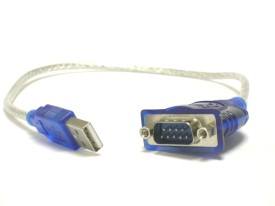
Stable Connection: Use a high-quality USB cable to avoid disconnection during the sensitive bypass process. How to Use Frpfile Aio Descargar Frpfile Aio V2.5
While the exact steps may vary by device model, the general workflow remains consistent:
Jailbreak your device using a compatible version of Checkra1n. Connect your iPhone/iPad to your PC via USB. Run the Frpfile Aio tool as an administrator.
Select the desired function (e.g., "Bypass iCloud" or "Bypass Passcode").
Wait for the tool to finish the process. Your device will typically reboot once the bypass is successful. Important Safety & Security Warning
It is vital to download these tools only from the official Frpfile.com site. Third-party mirrors often bundle the software with malware or spyware.
Malware Risks: Online file analysis reports for various "AIO" executables often show high threat scores (e.g., 87/100), flagging them as potentially malicious.
Antivirus Interference: Most antivirus programs will flag bypass tools as threats. It is often necessary to temporarily disable your firewall, but only do this if you trust the source. Conclusion
Frpfile Aio V2.5 remains a powerful asset for those needing to recover access to their iOS devices. However, because it touches sensitive system files, always backup any data you can and proceed with caution.
Are you trying to bypass an iCloud lock or a Passcode? Let me know your device model and iOS version, and I can provide more specific compatibility advice.
Viewing online file analysis results for 'FRPFILE AIO v2.8.exe' Descargar Frpfile Aio V2
Free Automated Malware Analysis Service - powered by Falcon Sandbox - Viewing online file analysis results for 'FRPFILE AIO v2. 8. Hybrid Analysis
Viewing online file analysis results for 'FRPFILE AIO v2.8.exe'
Understanding FRPFile AIO V2.5: A Comprehensive Guide to Device Accessibility
The FRPFile All-in-One (AIO) V2.5 is a specialized software tool designed to bypass Factory Reset Protection (FRP) on mobile devices, primarily targeting iOS and Android platforms. While it serves as a powerful utility for technical recovery, it sits at the center of a complex conversation regarding digital ownership, security, and the right to repair. The Purpose of FRP and the Role of AIO V2.5
Factory Reset Protection is a security feature implemented by manufacturers to prevent unauthorized access to a device after a factory reset. If a user forgets their credentials or purchases a secondhand device that remains locked, the device becomes a "brick"—useless hardware.
FRPFile AIO V2.5 acts as a bridge for these scenarios. Its primary functions include:
Bypassing iCloud Activation Locks: Specifically for older iOS versions (Checkm8-compatible devices), it allows users to enter the home screen and use the device.
FRP Removal: It simplifies the process of clearing Google account locks on various Android models.
Device Management: The "All-in-One" nature of the tool provides secondary features like MDM (Mobile Device Management) bypass and fixing "disabled" or "unavailable" screens. Technical Functionality
The tool leverages vulnerabilities in device bootroms or specific firmware exploits. For iOS devices, it often works in conjunction with the Checkra1n jailbreak environment. Version 2.5 introduced improved stability and support for a wider range of firmware versions, making it a staple for independent repair technicians. The Ethical and Security Debate Step 4: Select Language
The existence of tools like FRPFile AIO V2.5 is a double-edged sword.
Consumer Advocacy: Proponents argue that these tools are essential for the Right to Repair. They prevent electronic waste by allowing legitimate owners to reclaim access to their hardware without paying exorbitant manufacturer fees.
Security Concerns: Conversely, security experts point out that these same tools can be used by unauthorized parties to gain access to stolen devices. By bypassing the layers of security intended to protect user data, the software highlights the ongoing battle between manufacturer "walled gardens" and open-access utilities. Conclusion
Descargar (downloading) FRPFile AIO V2.5 is often a last resort for users locked out of their digital lives. It represents a powerful intersection of software engineering and user necessity. However, its use requires a balance of technical knowledge and ethical responsibility, ensuring that the goal remains device recovery rather than the infringement of security protocols.
Step 4: Select Language
- Default is English. Change via the dropdown if needed.
You should now see the main dashboard with brand logos: Samsung, Xiaomi, Huawei, Oppo, Vivo, Motorola, Nokia, LG, Realme, OnePlus, Tecno, Infinix, Itel.
Consideraciones de Seguridad
Al buscar "Descargar Frpfile AIO V2.5", es vital tener precaución:
- Fuentes Oficiales: Siempre intenta descargar desde el sitio web oficial del desarrollador o distribuidores autorizados.
- Antivirus: Muchos archivos crack o parcheados de internet suelen ser detectados como falsos positivos por los antivirus. Sin embargo, si no confías en la fuente, escanea el archivo antes de ejecutarlo.
- Responsabilidad: El uso de estas herramientas para desbloquear dispositivos ajenos sin autorización puede ser ilegal. Se recomienda su uso en dispositivos de propia propiedad o con consentimiento del dueño.
Troubleshooting Common Errors
| Error Message | Solution |
|---------------|----------|
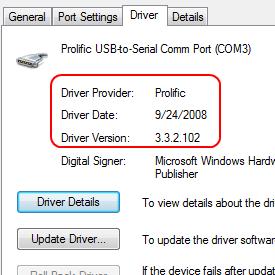
| Device not detected | reinstall USB drivers; try different USB port; use USB 2.0 port. |
| MTP driver failed | Enable USB Debugging via recovery (Volume Up + Power). |
| "No compatible servers" | Disable VPN or proxy. The tool needs direct internet for token validation. |
| Samsung "Custom binary blocked by FRP" | Reboot to Download Mode and flash the correct combination file (provided inside Samsung/Combination folder). |
| MTK bypass stuck at 0% | Disconnect battery (if removable); reconnect while holding Volume Up/Down. |
Step 3: Run FRPFile AIO V2.5
- Navigate to the main folder.
- Right-click
FRPFile_AIO_V2.5.exe → Run as Administrator.
- If Windows SmartScreen appears, click More Info → Run Anyway.
Todo sobre Frpfile AIO V2.5: La Herramienta Integral para iCloud
En el mundo de la reparación y desbloqueo de dispositivos móviles, mantenerse actualizado con las herramientas más recientes es crucial. Frpfile AIO V2.5 se ha posicionado como una de las utilidades más esperadas por técnicos y entusiastas debido a su amplio soporte para dispositivos Apple, específicamente en la eliminación de la cuenta iCloud (FRP/MEID) y la reparación de archivos de sistema.
Key Features of FRPFile AIO V2.5
Why should you choose version 2.5 over older builds or standalone tools? Here are the standout improvements:
- Expanded Database: Supports over 3,000 device variants, including Android 11, 12, and 13 security patches.
- One-Click Bypass for Samsung: Utilizes the latest combination file method and MTP (Media Transfer Protocol) exploit.
- MTK (MediaTek) Deep Flash: Direct boot to BROM mode for devices with preloader vulnerabilities.
- Qualcomm EDL Mode Support: Emergency Download Mode access for Snapdragon-powered phones.
- No User Data Wipe (Select Models): Bypass FRP without losing photos, contacts, or messages on supported chipsets.
- Portable & Lightweight: No installation required (portable version available); runs directly from USB drive.
- Background Updater: Automatic checks for new combinations and security patches.

 USB 2.0
 Firewire
 HDMI
HDMI Ethernet