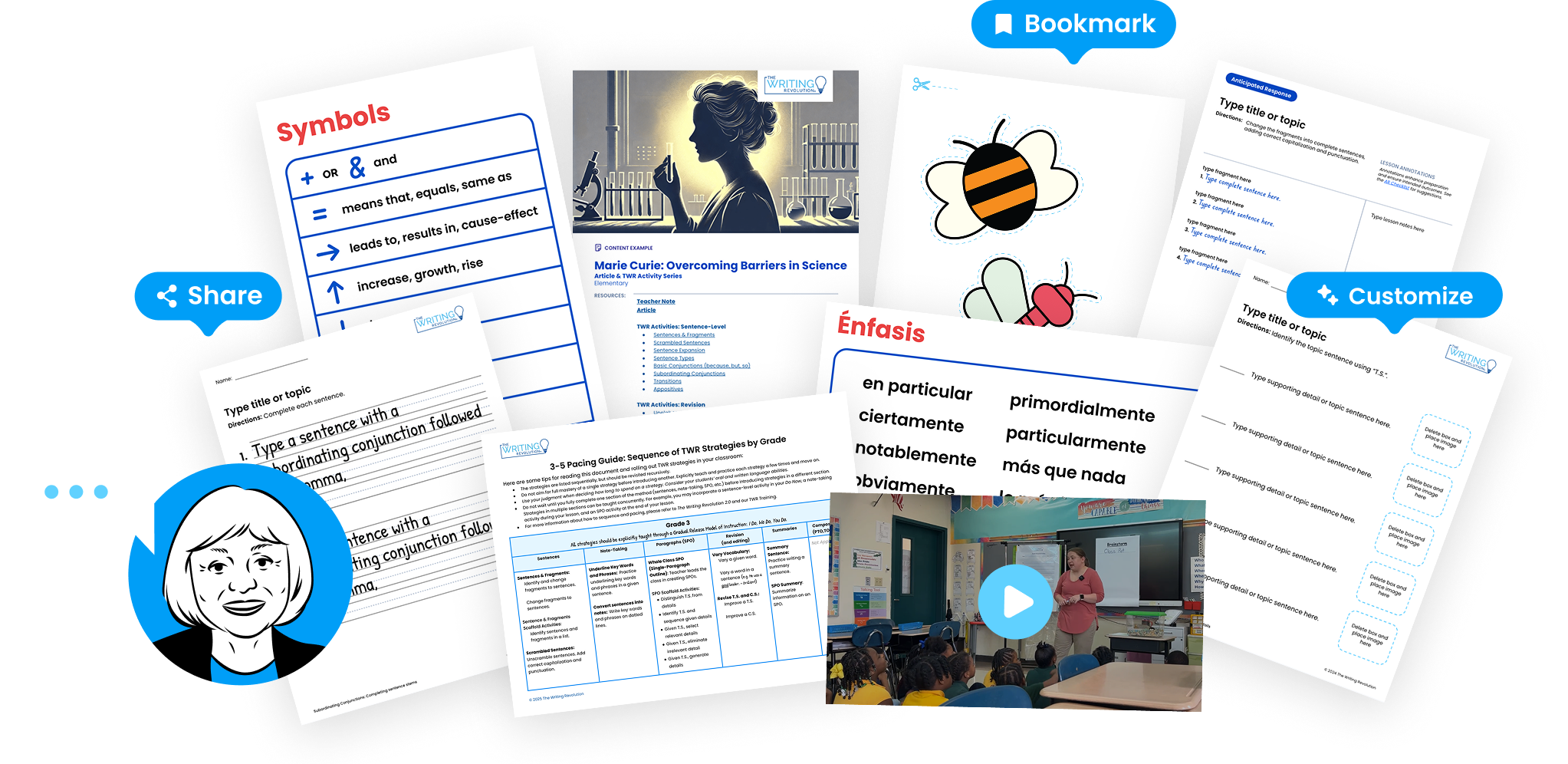
MyTWR Tools
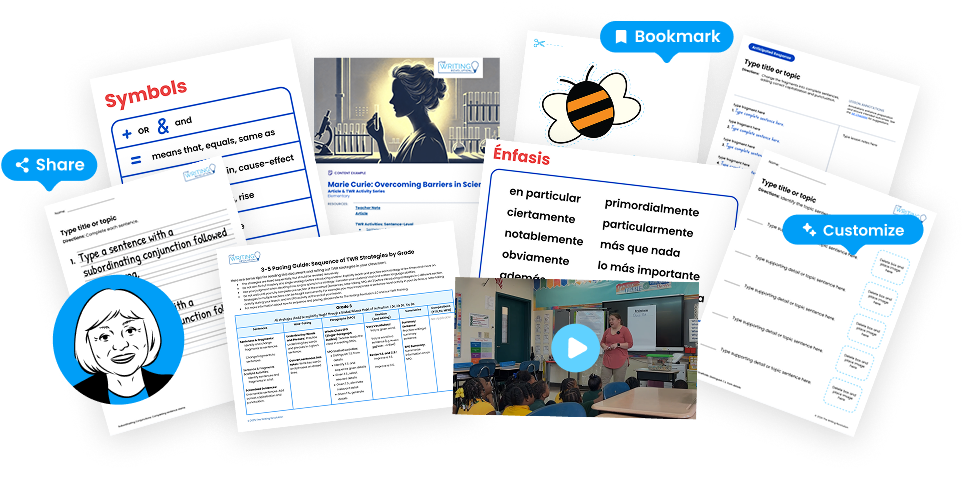
Turn your Hochman Method® training into effective daily instruction with 12-month access to:
- Judy, Your AI Coach
- Customizable Templates
- Content Examples for grades K–12
- Assessment Tools
- Planning Tools
- Videos
- Monthly Featured Resources
Searches for "wwwlavileztechservicecom download google better" typically lead to third-party tools aiming to bypass Android Factory Reset Protection (FRP), which carries risks of malware, system instability, and data theft. Official recovery methods, such as utilizing the Google Account Recovery page or manufacturer support, are the recommended, secure ways to regain access to a locked device.
It looks like you're trying to access a download or a file related to "wwwlavileztechservicecom" combined with "google better" — but this doesn't appear to be a standard or legitimate software name.
Here’s what you should know:
No verifiable software exists under that exact name.
wwwlavileztechservicecom (without dots) looks like a malformed or fake domain mimicking "La Vilez Tech Service" or similar.
Potential risks
What you likely want
lavileztechservice.com (if real) – but check carefully: that domain name looks suspicious.Recommendation
wwwlavileztechservicecom/download/google/better.If you can clarify what specific problem you're trying to solve (e.g., "Google search is slow," "I need a tool to clean my PC," "I saw an ad for Google Booster"), I can give you a safe, accurate download link or solution.
LavilezTechService serves as a specialized resource for Android users, offering direct downloads of FRP bypass APKs and Google Account Managers tailored to specific Android versions. It is recognized in tech forums for enabling device access on Samsung and Motorola devices without needing a PC, requiring users to manage installation security settings. You can explore their download options at lavileztechservice.com.
Lavileztechservice.com serves as a specialized, community-cited repository for Android Factory Reset Protection (FRP) bypass tools and APKs, primarily used by technicians to unlock older devices. While functional, the site poses significant security risks as it offers unverified third-party tools that can lead to device instability or malicious software infection. For more details, visit Fixepedia.
Managing Google accounts and software requires using official channels like the Google Account Recovery page to avoid risks associated with third-party, unverified downloads. For optimal performance and security, devices should rely on official system updates rather than third-party APKs or bypass tools. To learn more, visit Google's official support website.
Feature: "Google Better" Optimization Tool
Description: The "Google Better" optimization tool is a feature on the Lavilez Tech Service website that helps users improve their website's visibility on Google. This tool provides personalized recommendations to enhance a website's search engine optimization (SEO) and increase its ranking on Google.
Key Components:
Benefits:
How it works:
Design:
The feature will be designed to be user-friendly and easy to navigate. The tool will have a simple and intuitive interface, with clear instructions and visualizations to help users understand the recommendations and track their progress.
Technical Requirements:
Development Plan:
The development plan will involve the following steps:
Timeline: The estimated development time for this feature is 20 days.
The search query refers to a third-party, non-official method using tools from LavilezTechService to bypass Android Factory Reset Protection (FRP) by installing specialized APKs. The process involves downloading apps like Google Account Manager and a launcher to disable security services and add a new account, which carries security risks. For a detailed guide on this specific process, you can find further information in articles from Tenorshare and FonesGo. Samsung FRP Bypass with LavilezTechService and More
LavilezTechService.com offers specialized FRP (Factory Reset Protection) bypass APKs and Google Account Manager files designed to unlock Android devices following a hard reset. Users commonly employ these tools to bypass the "Verify your account" screen by installing files through a browser-based workflow. For more information on bypassing Google accounts, visit
As of May 2026, finding reliable, enhanced, or alternative ways to download and use Google services to make your digital experience "better" is a top priority for tech enthusiasts and everyday users alike. While google.com remains the primary source, many users look to specialized tech service platforms to optimize, streamline, or customize their Google application experience.
This article explores how to optimize your Google service downloads, enhance functionality, and secure your digital ecosystem.
Optimizing Your Google Experience: Beyond the Standard Download wwwlavileztechservicecom+download+google+better
When users search for "download google better," they are usually looking for: Faster, optimized installation packages. Version control (downloading older or beta versions). Enhanced browser features (Chrome enhancements). Unlocking regional restrictions.
The goal of a specialized tech service like Lavilez Tech Service is to provide direct, clean, and optimized links to these essential tools.
1. Enhancing Google Chrome for a "Better" Browser Experience
Google Chrome is the most popular browser, but it can be better. Here’s how to optimize it:
Download Optimized Browsers: Ensure you are getting the latest stable version of Chrome to take advantage of the newest speed improvements and security patches.
Install Essential Extensions: Customize your browser with extensions that improve productivity, such as ad blockers, password managers (like Bitwarden), or citation managers.
Manage Flags for Experimental Features: Type chrome://flags into your address bar to enable experimental features, such as enhanced tab management or faster page loading protocols (QUIC). 2. Streamlining Google Apps on Android
To make Google apps run "better" on Android, it’s not just about downloading them; it's about managing them.
Use the Official Google Play Store: Always download Google apps from the official Play Store to ensure you have the authentic, secure, and updated version.
Keep Services Updated: Ensure Google Play Services is updated. This background app is essential for the functionality of all Google apps.
Clear Cache and Data: If an app is running poorly, navigate to Settings > Apps > Google App > Storage and select "Clear Cache" to improve performance. 3. Enhancing Privacy and Security with Google Services A "better" Google experience is a secure one.
Two-Factor Authentication (2FA): Immediately secure your Google Account by setting up 2FA.
Manage Permissions: Regularly check which apps have access to your location, camera, and contacts in the Android Privacy settings. 4. Direct Downloads vs. Official Sources No verifiable software exists under that exact name
While third-party tech sites may offer "better" or direct downloads, it is highly recommended to prioritize official sources like Google Play or the official Chrome website to prevent malware, ensure app authenticity, and receive automatic updates. Using reputable, curated links (like those from trusted tech support providers) can help you find specialized tools, but caution is always advised. Conclusion
"Downloading Google better" is all about using the right sources, updating regularly, and customizing the tools to your specific needs. Whether it is using Chrome Flags for speed, managing app permissions for privacy, or ensuring you have the latest APKs, optimizing your Google ecosystem leads to a smoother digital life.
To help me make this article even more useful for you, could you tell me:
Are you looking specifically for mobile (Android) optimizations or desktop (Chrome/Windows/Mac) improvements?
What is the primary goal (e.g., faster browsing, better privacy, or fixing a broken app)?
The article interprets the likely user intent: finding a safe, optimized way to download Google-related software or browser enhancements, with a focus on improving performance via a tech service reference.
Lavilez typically offers:
Choose the product that matches your need. For a “better” experience, opt for the portable version or the offline installer—these give you more control over installation paths and avoid automatic add-ons.
Fake “Google Better” downloads may install browser extensions that change your default search engine, inject ads, and track your browsing history.
If you want, I can:
The search query "wwwlavileztechservicecom+download+google+better" refers to techniques for bypassing Google Factory Reset Protection (FRP) on Android devices, often utilizing specialized APK files once hosted on lavileztechservice.com. These methods typically involve installing bypassing tools like Google Account Manager to unlock devices that have been reset, a practice that carries security risks and increasing limitations on newer Android versions. Learn more about the legal implications of bypassing FRP on HardReset.info.
Third-party websites offering "wwwlavileztechservicecom+download+google+better" tools are designed to bypass Android's Factory Reset Protection (FRP), posing significant security risks including malware exposure and device instability. These unofficial methods are often unreliable against modern security patches, with official recovery through Google or the manufacturer being the recommended approach for regaining access. You can find more information about securing your device on the Google Account Help website.
Introduction: Why You Need a Writing Revolution in Your Classroom
The Hochman Method offers a clear, coherent, evidence-based instructional approach suitable for any subject or grade level. By learning and practicing TWR strategies through scaffolded activities, students improve their reading comprehension, oral expression, and critical thinking. Recognizing that writing is challenging for both students and teachers, the method emphasizes the need for explicit instruction and deliberate practice.
Turn your Hochman Method® training into effective daily instruction with 12-month access to:
Loading...
Access to MyTWR Tools is included with any Training Membership. View all memberships